


MCP Server
Empirical hosts a Model Context Protocol server that lets AI clients — such as Claude Code, Claude Desktop, and Cursor — search and read your CVE, asset, and finding data using live platform tools.
Endpoint
https://app.empiricalsecurity.com/mcp
The server uses the streamable HTTP transport.
Connecting
Point your MCP client at the endpoint above. Authentication is handled automatically over OAuth 2.1: on first connection the client registers itself, opens a browser for you to log in and approve access, and stores the resulting tokens. There are no client IDs or secrets to create by hand — access is scoped to your own Empirical user.
For example, to add the server to Claude Code:
claude mcp add --transport http empirical https://app.empiricalsecurity.com/mcp
Other clients accept the same URL wherever they let you add a remote (HTTP) MCP server.

Your browser will open the first time you connect. Log in with your Empirical account and approve the client to finish authorizing. The client refreshes its tokens automatically after that.
Claude Desktop
Claude Desktop connects to remote MCP servers as a custom connector:
- Open Settings → Connectors and click Add custom connector.
- Enter a name (for example, “Empirical”) and the server URL
https://app.empiricalsecurity.com/mcp. - Click Add. A browser window opens — log in with your Empirical account and approve access.
- Back in Claude Desktop, the connector shows as connected and its tools are listed under the Search and tools menu in any chat.
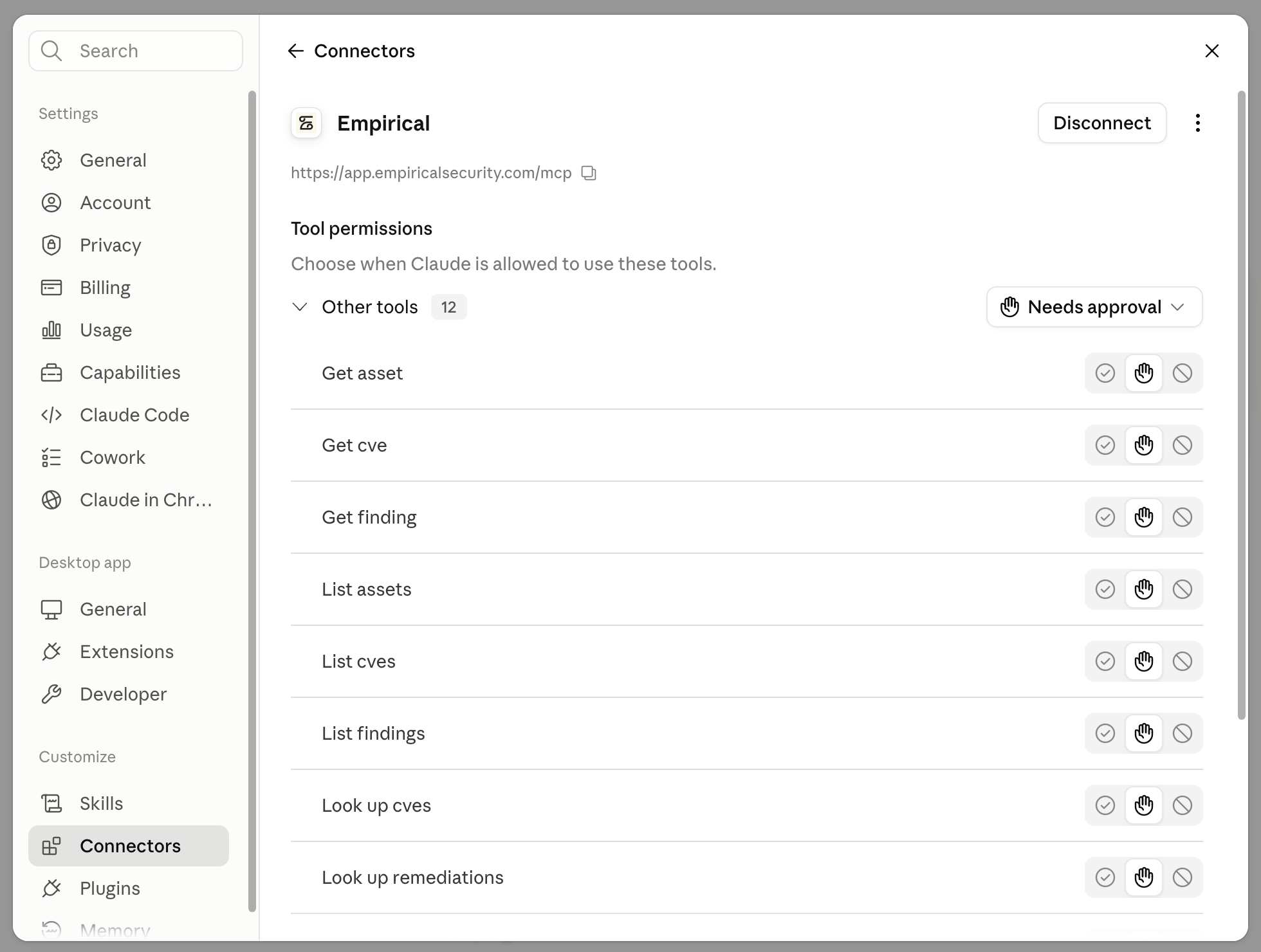
Opening the connector from Settings → Connectors shows its tools and lets you set how much approval each one needs before Claude can call it.
Custom connectors require a paid Claude plan. If you don’t see Add custom connector, your Claude plan or workspace settings may not permit it — check with your Claude administrator.
What you can do
Once connected, the server exposes tools your client can call to:
- Search and filter CVEs, assets, and findings using the search syntax.
- Look up details for a specific CVE, including scores, remediations, and exploitation activity.
- Read Empirical product documentation.
Scoring-model behavior matches the rest of the API — pass a model key (see Overview) where a tool accepts one, or omit it to use your organization’s default.